
300 × 200mm embroidery field
Create substantial motifs, blocks and lettering layouts in one hooping.
Create larger embroidery with exceptional control, accurate positioning and fast, quiet operation. The Brother Innov-is Essence VE2300 combines a spacious 300 × 200mm embroidery field, V-Sonic Sensor Pen, Droplight LED positioning marker, 318 built-in designs, 17 embroidery fonts and a large 7-inch colour touchscreen.

The VE2300 is designed for creators who want substantially more embroidery space than a standard 100 × 100mm or 260 × 160mm home machine.
Its expansive 300 × 200mm field accommodates large motifs, quilt blocks, jacket designs, lettering layouts, appliqué embroidery and decorative home projects.
The V-Sonic Sensor Pen and Droplight positioning marker help place embroidery exactly where it is required, while the large touchscreen provides extensive on-machine editing.
Because it is a dedicated embroidery machine, the entire workspace, carriage and interface are focused on embroidery rather than ordinary garment sewing.
The VE2300 does not perform ordinary straight stitching, zigzag sewing, buttonholes, garment construction or quilting seams.
It automatically moves a hooped project beneath the needle to create embroidery designs, lettering, appliqué and decorative stitch files.
A separate sewing machine is required for constructing garments, piecing quilts, hemming and general sewing.
The standard VE2300 package includes both a large 300 × 200mm frame and a versatile 180 × 130mm frame, along with the positioning and thread-management accessories required to begin.
Create substantial motifs, blocks and lettering layouts in one hooping.
Touch the fabric to position and angle compatible embroidery designs.
See the approximate needle-drop point before embroidery begins.
Edit, combine, resize and preview designs through a large visual display.
Begin creating immediately with decorative, quilting and bobbin-work options.
Create names, initials, dates and multilingual embroidered lettering.
Cut upper, bobbin and compatible jump threads with less finishing work.
Move through a design in increments up to 500 stitches when recovering position.

The VE2300 gives you a noticeably larger embroidery field than many mid-range domestic machines.
This extra space is valuable when embroidering jacket panels, quilt blocks, cushion fronts, larger logos, long names and multi-element layouts.
Designs that fit within the 300 × 200mm field can be completed without splitting the file or repositioning the project between sections.
The 300 × 200mm frame provides the full embroidery area for larger designs and extended layouts.
The 180 × 130mm frame is more convenient for medium-sized designs and reduces the amount of excess fabric held inside the hoop.
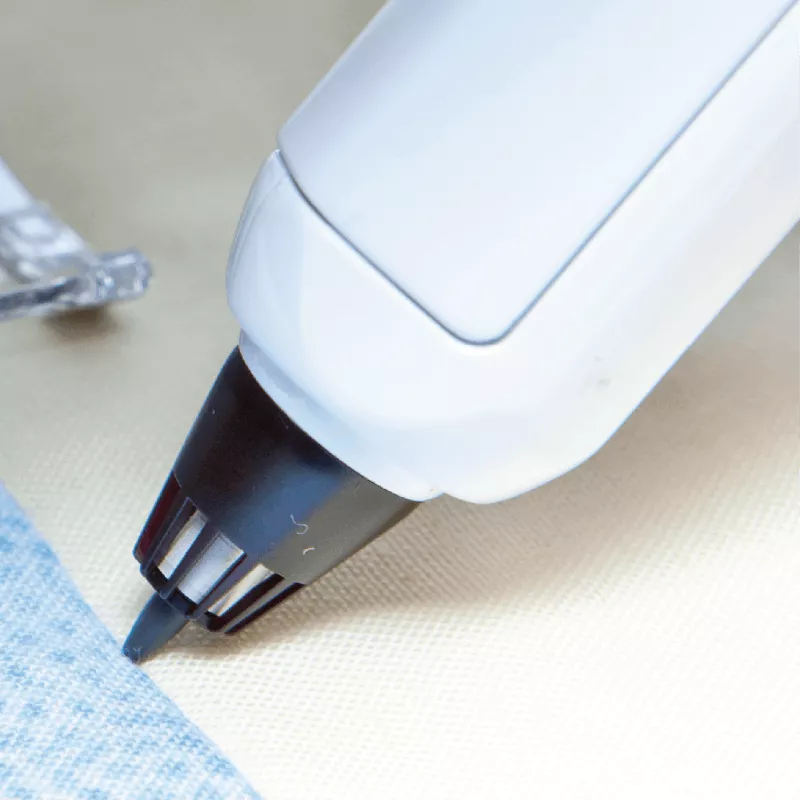
The V-Sonic Pen communicates with the machine when touched against the hooped fabric inside the supported sensor area.
It can be used to establish positioning points and alter the angle of a compatible embroidery design.
This helps when aligning embroidery with existing seams, fabric markings, quilt blocks and project details.
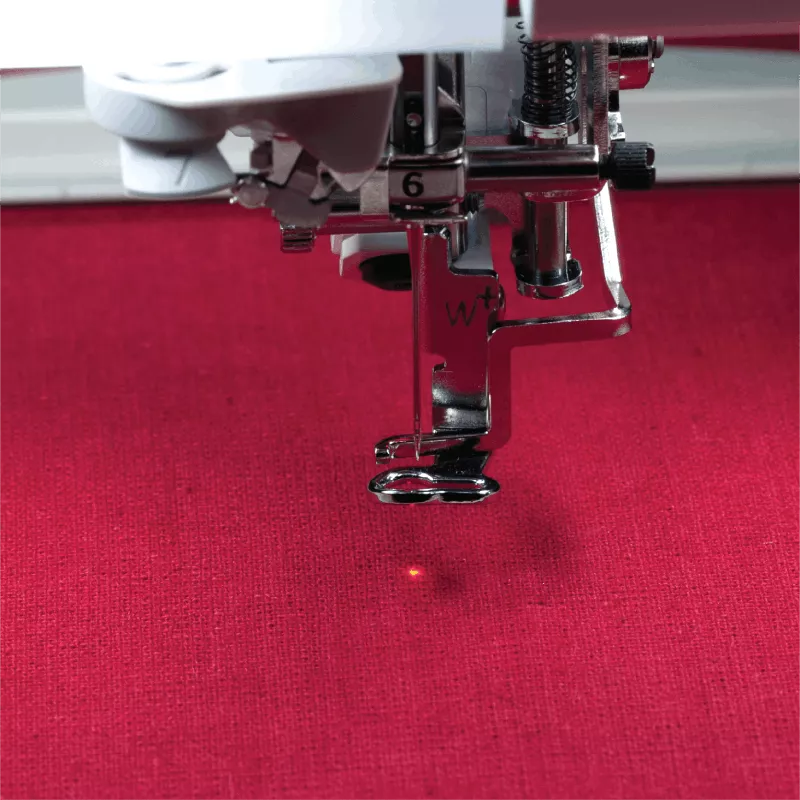
Embroidery Foot W+ projects a red LED marker onto the project beneath the needle.
This shows the approximate needle-drop position before the design begins and provides a clear visual reference during placement.
Use it together with the hoop grid, touchscreen and V-Sonic Pen for greater positioning confidence.
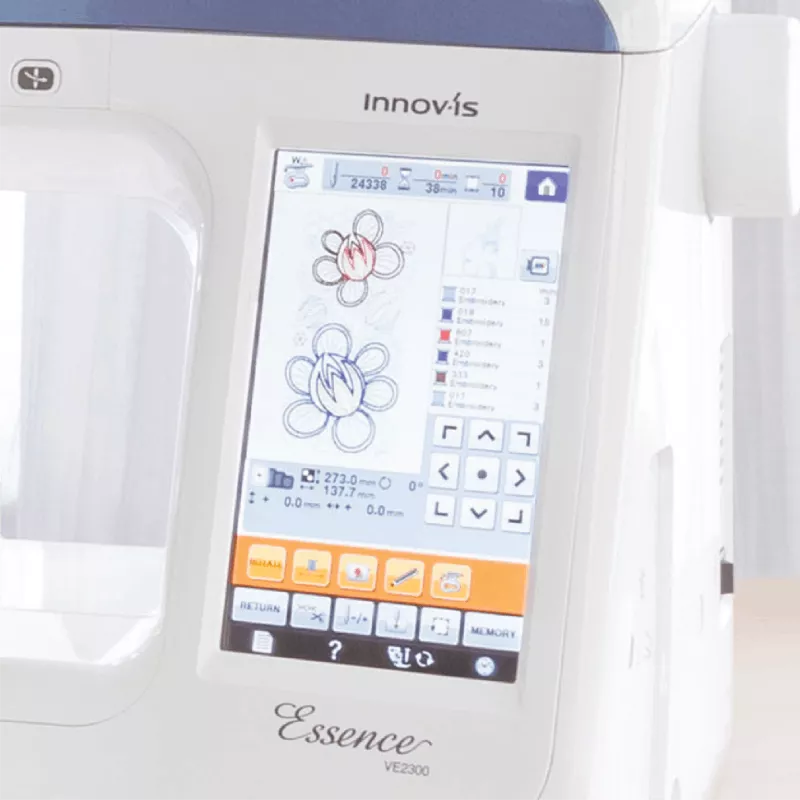
The touchscreen displays embroidery designs, lettering, thread colours, hoop boundaries and editing controls in up to approximately 260,000 colours.
Compatible designs can be moved, combined, resized, rotated, mirrored and positioned directly on the machine.
Built-in tutorials and large icons make advanced functions easier to understand without constantly referring to the manual.
A substantial design library including decorative embroidery and specialist bobbin-work patterns.
The VE2300 provides 318 embroidery designs covering decorative motifs, florals, borders, quilt-related patterns and specialist techniques.
Built-in bobbin-work designs allow decorative thread or cord to be worked from the underside using the supplied bobbin-work case.
Additional compatible embroidery designs can be imported through USB.
Create embroidered names, initials, dates, numbers and messages in multiple lettering styles.
The font package includes 12 alphabet fonts, two Cyrillic fonts and three Japanese embroidery fonts.
Lettering can be arranged over multiple lines, resized, spaced and combined with decorative designs or frame patterns.
Personalise towels, bags, clothing and children’s items.
Create initials for linen, gifts and home accessories.
Add the maker’s name, date and a personal message.
Use alphabet, Cyrillic and Japanese font options.
Ten built-in frame shapes can be combined with 14 decorative stitch patterns to create 140 different border combinations.
Frames are useful around names, monograms, labels, badges and smaller motifs.
Prepare embroidery layouts directly on the VE2300 without requiring a computer for every adjustment.
Compatible designs and lettering can be combined, repositioned, mirrored and rotated within the available hoop area.
The VE2300 cuts the upper and bobbin threads at suitable stopping points during embroidery.
Compatible jump stitches between separate colour blocks or design sections can also be trimmed automatically.
This reduces the loose connecting threads that would otherwise need to be removed manually after embroidery.
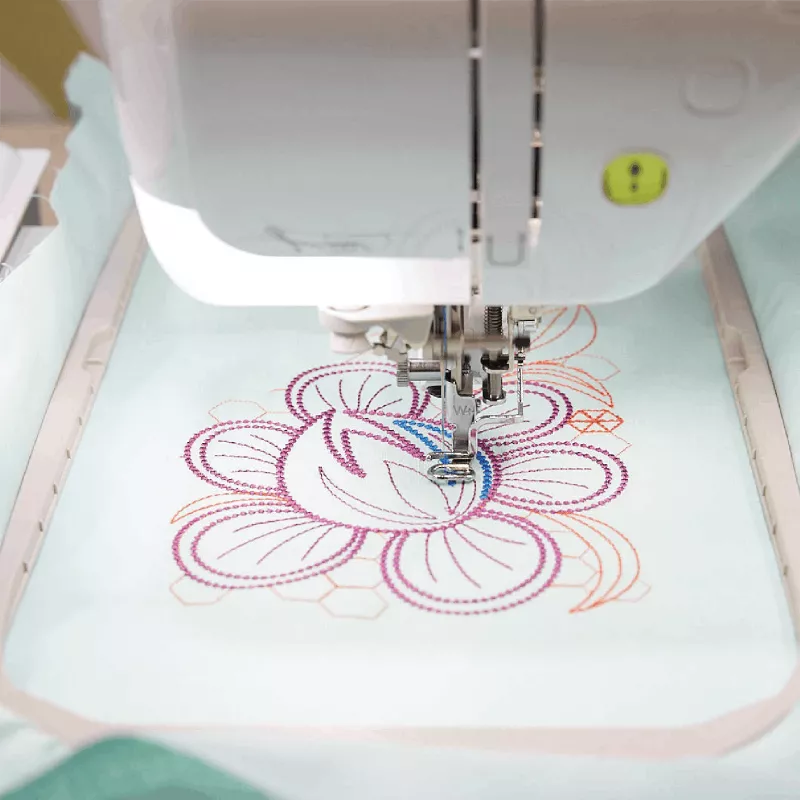
When a thread breaks or a stitch section needs to be repeated, the machine can move forward or backward through the embroidery design.
Choose supported increments of one, 10, 100 or 500 stitches to return efficiently to the required point.
Add a temporary basting outline around the embroidery area before the main design begins.
Basting can help hold the project to the stabiliser and provides a visible check of the design’s position within the hoop.
This is particularly useful for floating materials, bulky projects and designs that must align with an exact area.
Convert compatible multicolour designs to a continuous single-colour embroidery sequence.
The machine can continue through colour-change stops without requiring the upper thread to be replaced each time.
Monochrome mode is useful for tonal embroidery, linework, quilt blocks and modern decorative effects.
Complete large and dense embroidery efficiently with automatic electronic speed management.
The VE2300 reaches embroidery speeds up to 1,050 stitches per minute.
The machine automatically varies its speed around corners, short stitches and intricate design sections.
Maximum speed can also be reduced for delicate fabrics, metallic threads and challenging specialist projects.
Follow the marked upper-thread path and use the direct threading control to guide the thread through the needle eye.
This is particularly valuable during multicolour embroidery, where the upper thread may be changed repeatedly.
Automatic tension provides a recommended thread balance, with adjustment available when specialist threads or unusual materials require it.
Insert the bobbin from above, follow the marked thread path and begin embroidery without manually drawing the bobbin thread through the needle plate.
Adjustable bobbin-winding speed provides greater control when preparing standard embroidery bobbin thread or specialist threads.
Ten Brother bobbins and a separate bobbin-work case are included.
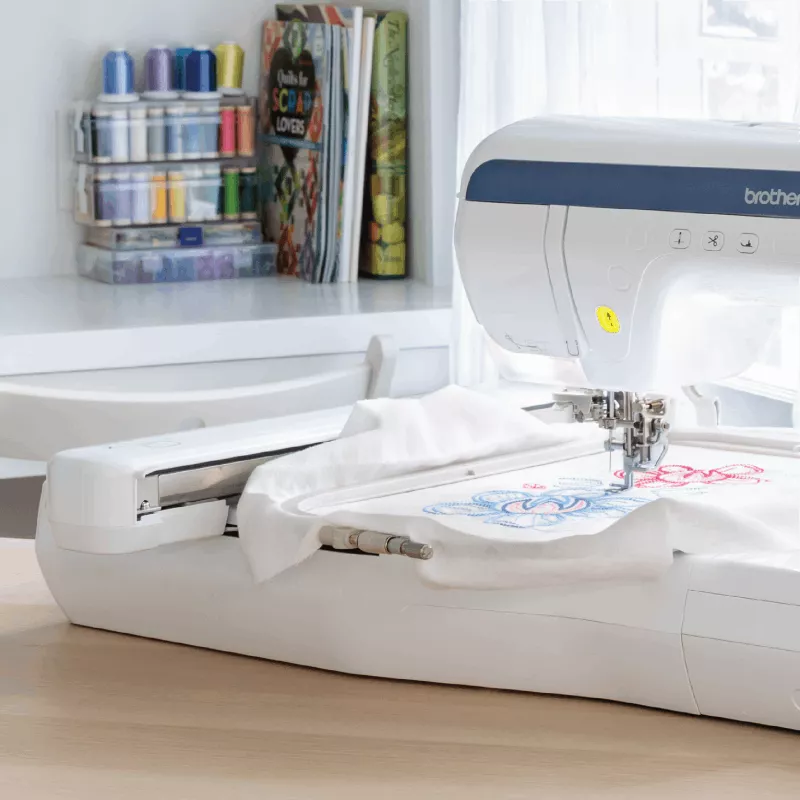
Bright LED illumination spreads across the needle area and embroidery workspace.
Better visibility makes it easier to check thread, monitor detailed designs and confirm positioning on dark fabrics.
Load compatible embroidery designs through a supported USB flash drive.
A separate USB connection allows the VE2300 to communicate directly with a compatible computer using the supplied cable.
USB connectivity is also used for supported machine software updates.
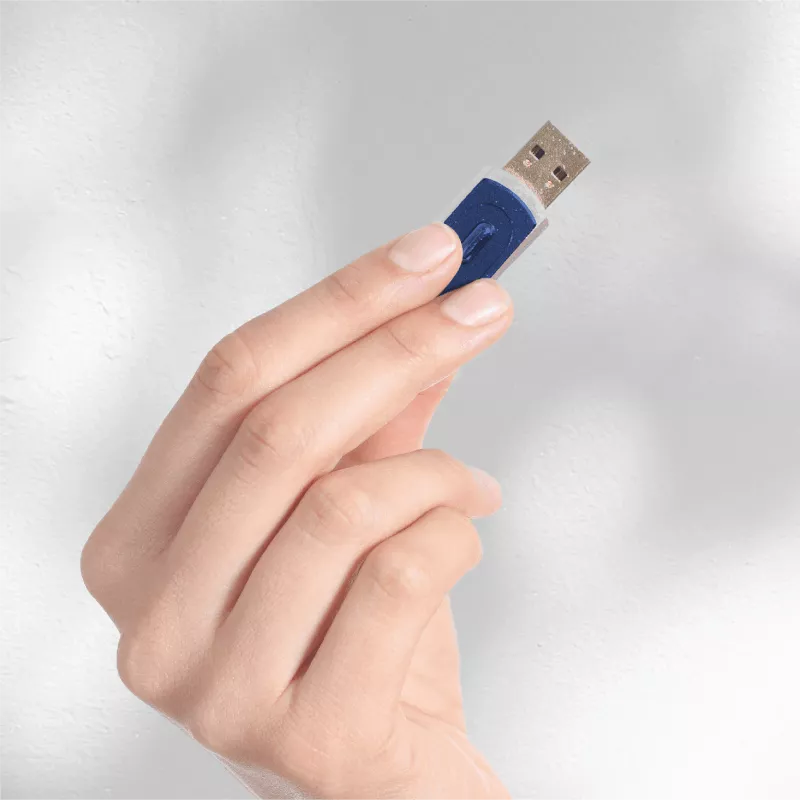
The VE2300 does not have built-in Wi-Fi and is not compatible with Artspira wireless transfer. Designs are transferred through USB media or the direct computer connection.
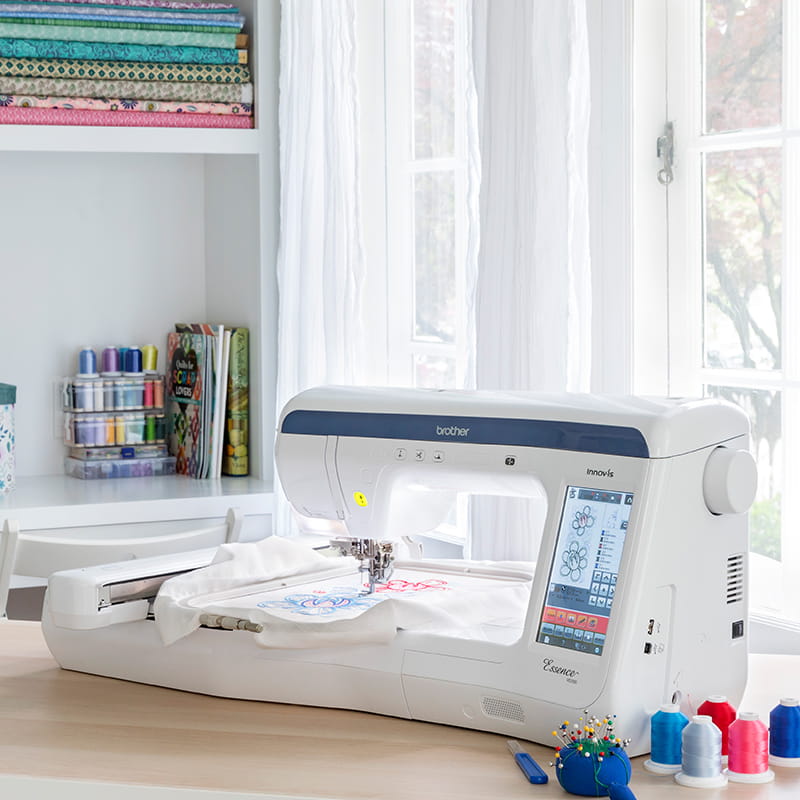
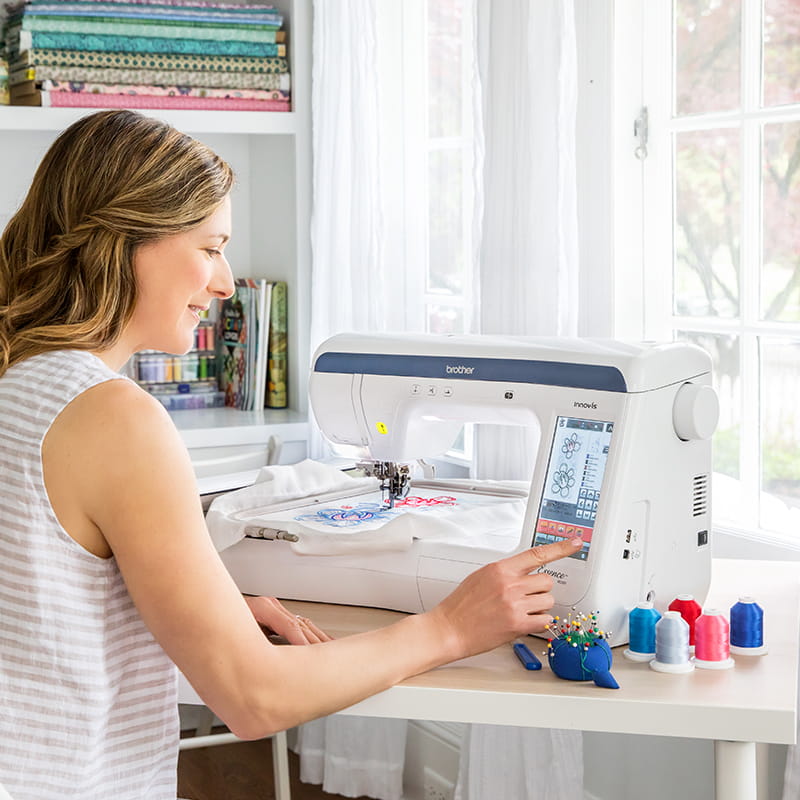
The Brother Innov-is Essence VE2300 is a dedicated domestic single-needle embroidery machine. It does not perform ordinary sewing.
Its maximum stitchable embroidery field is 300 × 200mm. Designs larger than this must be reduced, split or repositioned using suitable embroidery software and techniques.
It is a single-needle machine and stops at each colour stage so the upper thread can be changed manually.
The VE2300 does not include Wi-Fi or Artspira connectivity. Compatible designs are transferred through USB media or the direct computer connection.
Good embroidery requires suitable stabiliser, quality embroidery thread, correct bobbin thread, an appropriate needle and secure hooping.
The VE2300 uses flat embroidery frames. It is not intended to embroider finished structured caps in the same way as a commercial cap-frame machine.
Although suitable for personalised products and smaller creative runs, it remains a domestic machine rather than a commercial multi-needle production system.
Full logo digitising and conversion of original artwork generally require appropriate embroidery-digitising software or a professional digitising service.
| Machine type | Dedicated domestic single-needle embroidery machine |
|---|---|
| Maximum embroidery area | 300 × 200mm, approximately 12 × 8 inches |
| Included embroidery frames | 300 × 200mm and 180 × 130mm |
| Built-in embroidery designs | 318 |
| Frame-pattern combinations | 140 using 10 frame shapes and 14 stitch patterns |
| Embroidery fonts | 17: 12 alphabet, two Cyrillic and three Japanese fonts |
| Bobbin-work designs | Included within the built-in design library |
| Maximum embroidery speed | Up to 1,050 stitches per minute |
| Touchscreen | 7-inch full-colour LCD touch display |
| Display colours | Up to approximately 260,000 colours |
| On-screen design editing | Move, combine, rotate, mirror and edit compatible designs |
| Pattern rotation | Supported one, 10 and 90-degree increments |
| Drag-and-drop positioning | Yes |
| V-Sonic Sensor Pen | Included for embroidery positioning and angle adjustment |
| Droplight positioning marker | Included on Embroidery Foot W+ |
| Stitch forward and backward | One, 10, 100 or 500-stitch increments |
| Embroidery basting | Yes |
| Programmable monochrome embroidery | Yes |
| Resume function | Yes |
| Automatic thread cutter | Yes, cuts upper and bobbin threads |
| Automatic jump-stitch trimming | Yes, for compatible embroidery data |
| Needle threader | Fully automatic |
| Thread tension | Automatic with adjustment available |
| Upper-thread sensor | Yes |
| Bobbin-thread sensor | Yes |
| Bobbin system | Top-loading horizontal Quick-Set Bobbin |
| Bobbin winding | Adjustable winding speed |
| Lighting | Bright LED lighting across approximately 10 inches |
| USB flash-drive port | Yes |
| Direct computer connection | Yes, USB cable included |
| Machine software updates | Supported through USB connection |
| Wi-Fi | No |
| Artspira compatibility | No wireless Artspira transfer |
| Number of needles | One |
| Sewing capability | No, this model is embroidery-only |
| Energy-saving functions | Sleep and automatic shut-off modes |
| Machine cover | Soft cover included |
No. The VE2300 is a dedicated embroidery-only machine. It does not perform ordinary sewing or garment construction.
Its maximum stitchable embroidery field is 300 × 200mm, approximately 12 × 8 inches.
Two hoops are included, measuring 300 × 200mm and 180 × 130mm.
The machine includes 318 embroidery designs plus 140 frame-pattern combinations.
Yes. Seventeen embroidery fonts provide multiple options for names, numbers, initials, dates and short messages.
The Sensor Pen helps position and adjust the angle of compatible embroidery designs by touching supported points on the hooped fabric.
It projects a red LED marker showing the approximate needle-drop position before embroidery begins.
Yes. Compatible designs can be moved, combined, rotated, mirrored and adjusted through the colour touchscreen.
Yes. Compatible embroidery files can be loaded using a supported USB flash drive or direct computer connection.
No. Design transfer and machine updates use USB media or the supplied computer cable.
It does not support Artspira wireless transfer because the machine does not have built-in Wi-Fi.
No. It is a single-needle machine and stops at each colour stage so the upper thread can be changed.
Yes. Compatible jump stitches between embroidery sections can be trimmed automatically.
Use the stitch forward and backward controls to return to the required point in increments of one, 10, 100 or 500 stitches.
Bobbin work uses decorative thread or cord in a specialist bobbin case so the decorative stitching is formed from the underside of the project.
It can embroider any compatible design that fits within the 300 × 200mm field. Larger designs must be divided or repositioned using suitable software and techniques.
No. The VE2300 uses flat embroidery frames. Finished structured caps require specialist commercial cap-frame equipment.
It can suit personalised gifts, monograms, quilt blocks and smaller creative runs. A commercial multi-needle machine is more efficient for high production volumes, caps and automatic colour changes.
No full professional digitising package is included. Brother PE-DESIGN software is available separately, or designs can be professionally digitised.
Quality 40-weight embroidery thread is suitable for most designs. Use the correct embroidery bobbin thread, needle and stabiliser for the fabric and design.
View the official regional product information, specifications and compatible accessories.
Access the operation manual, quick-reference guide and USB compatibility information.
Find firmware, downloads, troubleshooting information and current machine support.
Direct Sewing has supplied sewing, quilting, embroidery, overlocking and industrial equipment throughout New Zealand since 2001.
Our experienced team can explain embroidery hooping, stabiliser selection, USB design transfer, V-Sonic positioning, embroidery thread, bobbin thread, design formats and the difference between domestic and commercial embroidery systems.
Your Brother Innov-is Essence VE2300 is supported by genuine New Zealand warranty assistance and our own in-house technical workshop. Servicing and repairs are completed by experienced sewing-machine and embroidery technicians with decades of industry knowledge.
For creators wanting a generous 300 × 200mm embroidery field, premium positioning tools, fast stitching and extensive on-machine editing without moving into a commercial multi-needle system, the Brother VE2300 remains an exceptionally capable embroidery machine.